Available
AlphaFeed
Your broker already streams the market. AlphaFeed puts it in your charts — live bars down to 1 second, up to ten years of minute history, all stored on your own PC.
Works with Zerodha Kite Connect, Shoonya (Finvasia), AmiBroker, MetaStock, Advanced GET
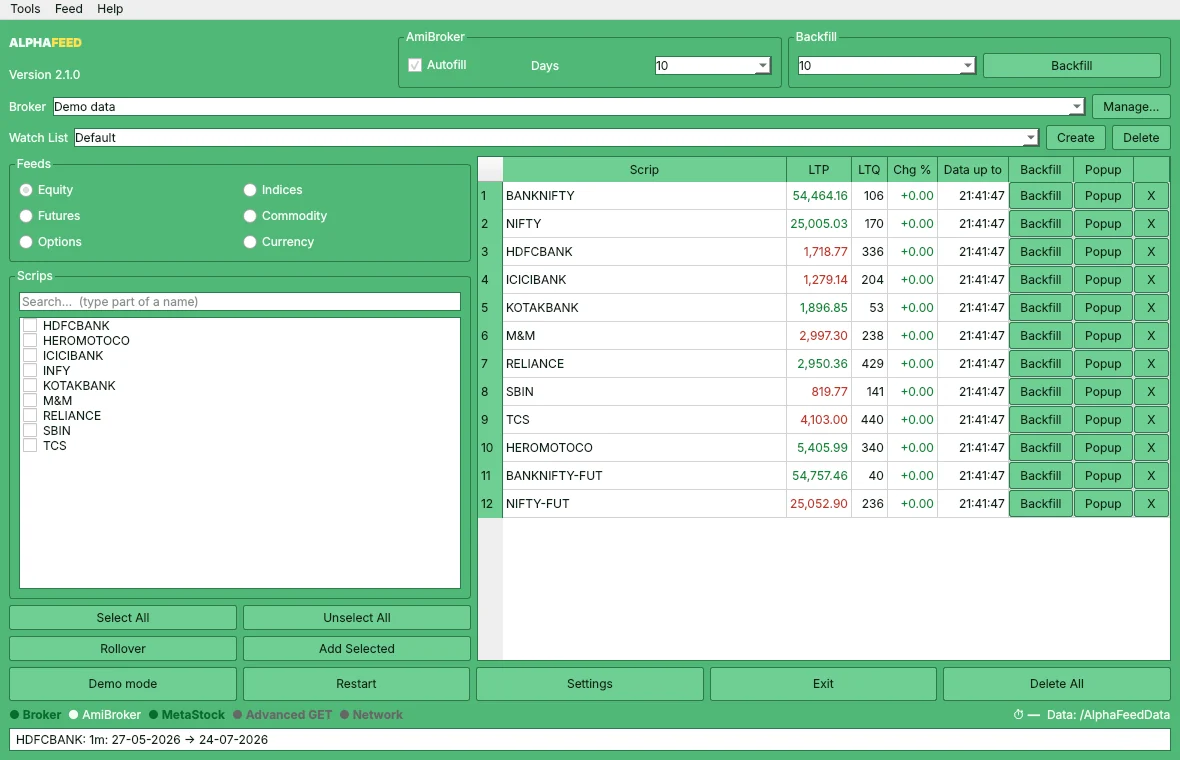
- Live down to 1-second bars (Pro)
- Pro records your broker's ticks as 1-second bars and pushes them into AmiBroker as they form. Standard builds live 1-minute and longer bars.
- Up to 10 years of 1-minute history
- Standard downloads 5 years and Pro 10 years of one-minute history, then keeps every chart topped up automatically.
- Three charting programs at once
- AmiBroker live, plus MetaStock-format folders that MetaStock and Advanced GET read directly.
- Your data stays on your PC
- Nothing is uploaded. Prices are downloaded from your own broker account and stored locally.
See how it works
Pick your charting program, AlphaFeed does the rest
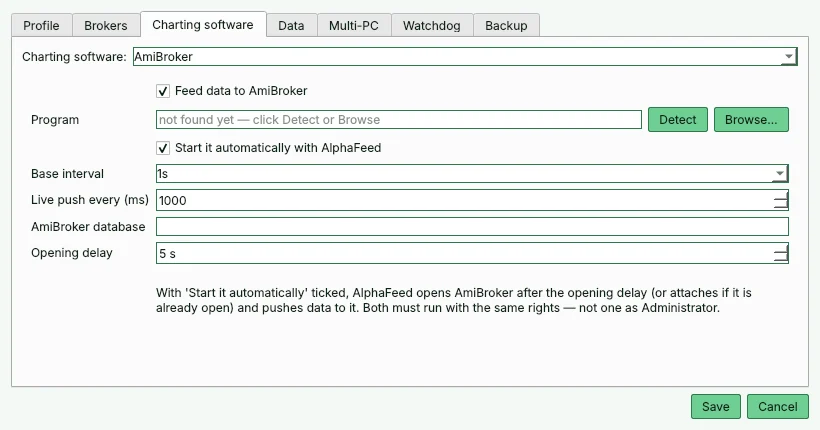
Choose AmiBroker, MetaStock or Advanced GET. AlphaFeed finds the program, opens it for you if you like, and pushes 1-second bars into AmiBroker every second.
Whole index lists in one click
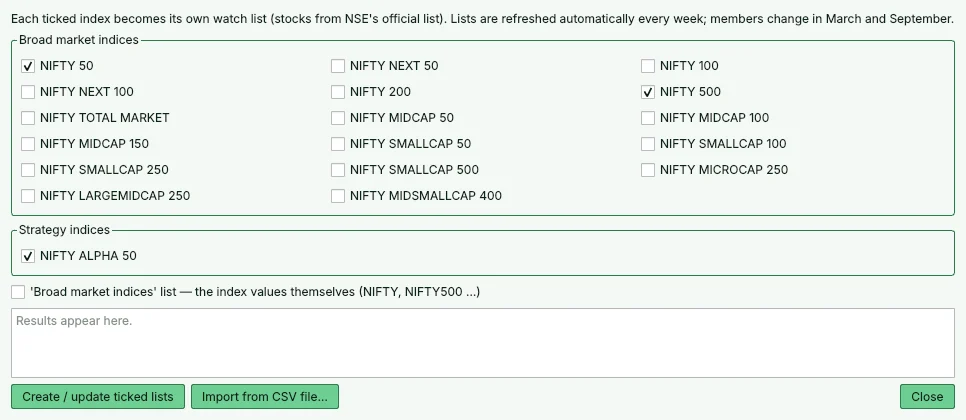
Tick NIFTY 50, NIFTY 500, NIFTY Alpha 50 or any of 18 NSE indices and each becomes its own watch list, taken from NSE's official files and refreshed every week.
A watchdog that keeps your charts complete
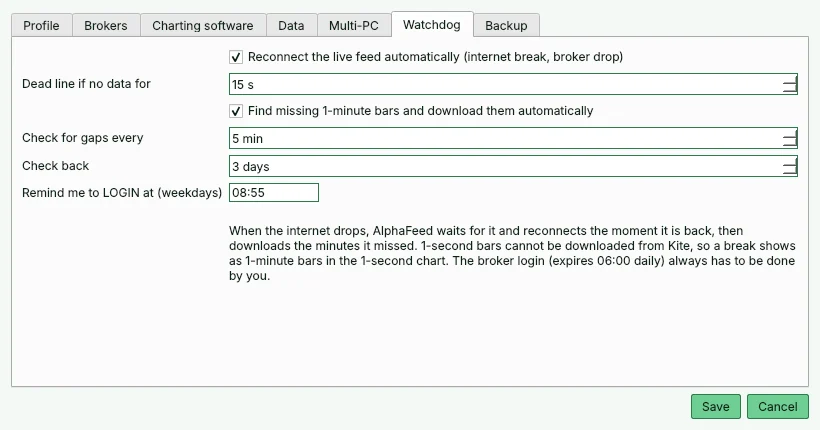
If the internet drops, AlphaFeed reconnects the moment it is back and downloads the minutes you missed. Every few minutes it checks for gaps and fills them. A reminder tells you when to log in to your broker before the market opens.
One login, several PCs
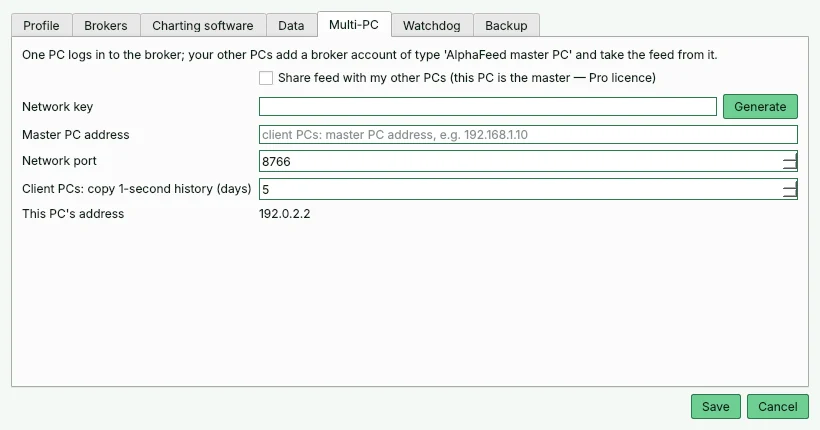
With the Pro edition your main PC logs in to the broker and feeds your other PCs on the same network — no second API subscription.
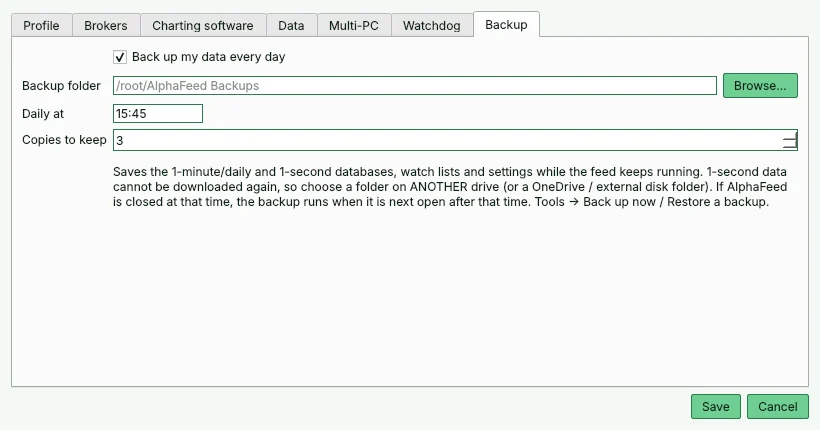
Nightly backup of your data
Ten years of minute data is valuable. AlphaFeed backs up its databases, watch lists and settings every evening to a folder you choose, and keeps the last few copies.
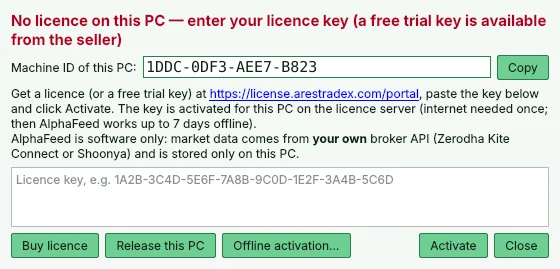
Licensing you control
Your licence is tied to one PC. Move it yourself with Release this PC, activate offline if a PC has no internet, and keep working for 7 days without a connection.
Everything in AlphaFeed
Data
- Live 1-minute to daily bars from your broker's tick stream; 1-second bars with Pro
- 1-minute history: 5 years with Standard, 10 years with Pro; daily data too, backfilled automatically
- Bonus and split adjustment applied to stored history automatically
- Gap watchdog finds missing minutes and fills them without touching your 1-second data
- Automatic download list: every F&O stock, near-month futures (stitched continuous NAME-FUT), all MCX commodities and 15 frontline NSE indices — follows F&O entries, exits and renames by itself
- Bars only inside market hours: no flat after-hours 'dash' candles
- Government bonds, T-bills and other debt instruments are kept out of your lists
- "Data up to" column shows exactly how current every symbol is
Charting programs
- AmiBroker: opens with AlphaFeed and updates open charts live
- MetaStock and Advanced GET (including the End-of-Day edition, 1-minute and higher): standard MetaStock-format folders, kept up to date
- Stays responsive with many charts open and hundreds of symbols loaded
Watch lists
- Ready-made lists for NIFTY 50, NIFTY 500, NIFTY Alpha 50 and broader-market indices
- Index lists refresh weekly from the official constituent files
- Fast symbol search across NSE, BSE and MCX instruments
Reliability
- Backfill and live-feed scanner bars show at a glance what is downloading and what is flowing to your charts
- Automatic reconnect after internet breaks, with a reminder for the daily broker login
- Latency meter shows how far behind the exchange your feed is
- Nightly backup of your database with one-click restore
Pro edition
- Live 1-second bars, recorded while AlphaFeed runs (see the note below)
- 10 years of 1-minute history (Standard: 5 years)
- Feeds your other PCs on the same network from one broker login
- Number of extra PCs depends on your plan
Plans
Loading current prices…
What you need
- Windows 10 or 11, 64-bit
- Your own broker data API: Zerodha Kite Connect (paid to Zerodha) or Shoonya API
- AmiBroker, MetaStock or Advanced GET, licensed separately
- Free disk space for history: several GB for 5–10 years of 1-minute data
Questions
Do you sell market data?
No. AlphaFeed is software only. Prices come from your own broker API account; any API subscription is between you and your broker.
How does 1-second data work?
Brokers send live ticks but generally do not offer 1-second history, so AlphaFeed Pro records 1-second bars itself while it is running and connected. If the PC is off, AlphaFeed starts late, or the internet drops, there are no ticks to record for that time: AlphaFeed fills those minutes with 1-minute bars instead, so your 1-second chart shows minute bars for those periods. Keep AlphaFeed running through the session for unbroken 1-second data. With Pro, your other PCs copy the recorded seconds from the main PC.
Do I need to log in to my broker every day?
Zerodha requires a fresh Kite Connect login once a day. AlphaFeed reminds you and opens the login page; it never stores your broker password.
Can I try it first?
Yes. AlphaFeed runs with demo data without a key, and trial keys are available on request.
Will it work with my old Advanced GET?
Advanced GET reads MetaStock-format folders, which AlphaFeed writes. Very old versions may not open second-based timeframes; minute and daily charts work.